Sheet music app for iPad and iPhone
Your scores. Your folder. Your music stand.
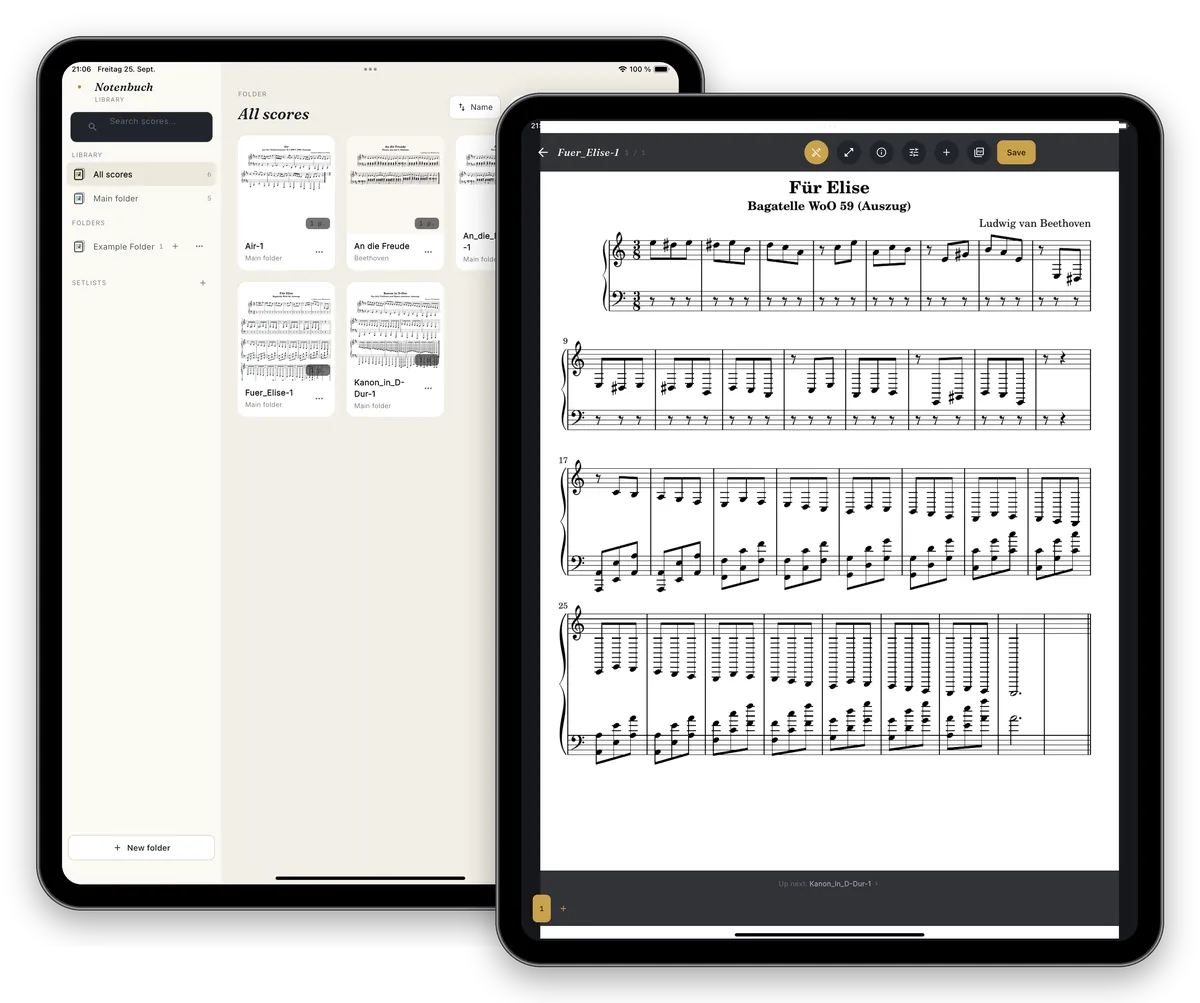
Notenbuch replaces the heavy binder: organise PDFs and scans, annotate right on the page and practise and perform with metronome, tuner and page-turn pedal.
One-time purchase · no subscription
- No subscription
- No account
- No tracking
- iPhone & iPad
- 6 languages
Features
Everything that matters at the music stand
No gimmicks – just the tools you actually need when practising, rehearsing and performing.
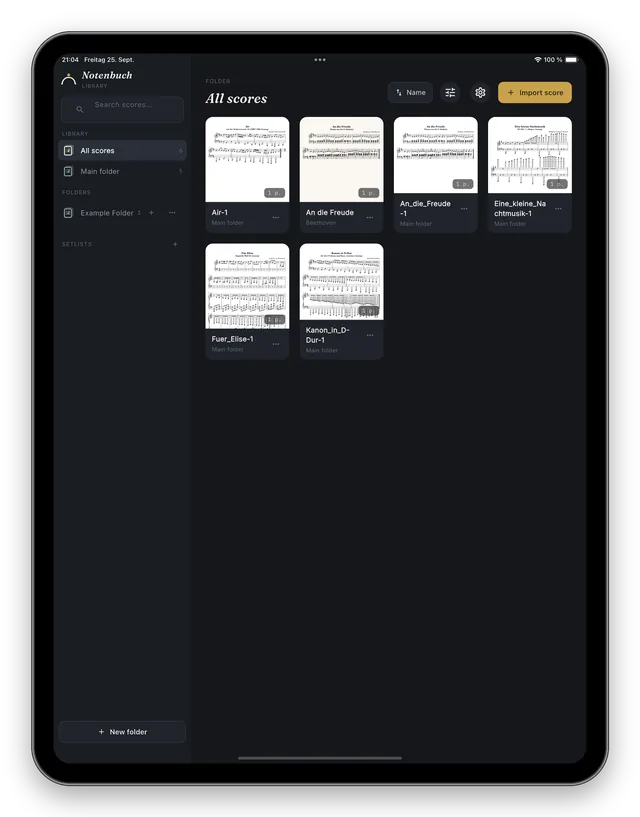
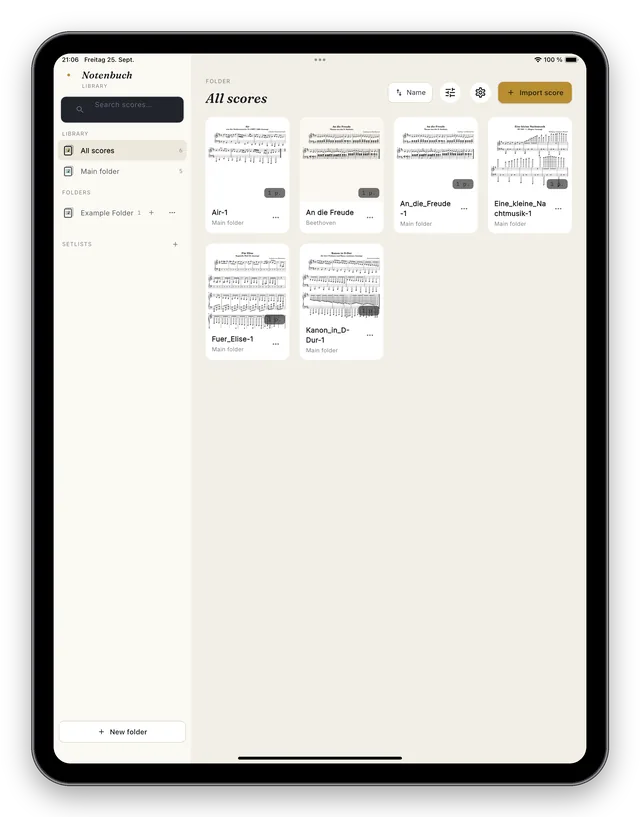
Your library lives in your folder
Pick any folder, for example in iCloud Drive or “On My iPad”. Notenbuch shows every PDF and image in it as a score, and subfolders become folders in the app. Your files stay ordinary files you can see in the Files app at any time.
- Available on all your devices with iCloud Drive
- Search by title, composer and folder
- No import into a closed database
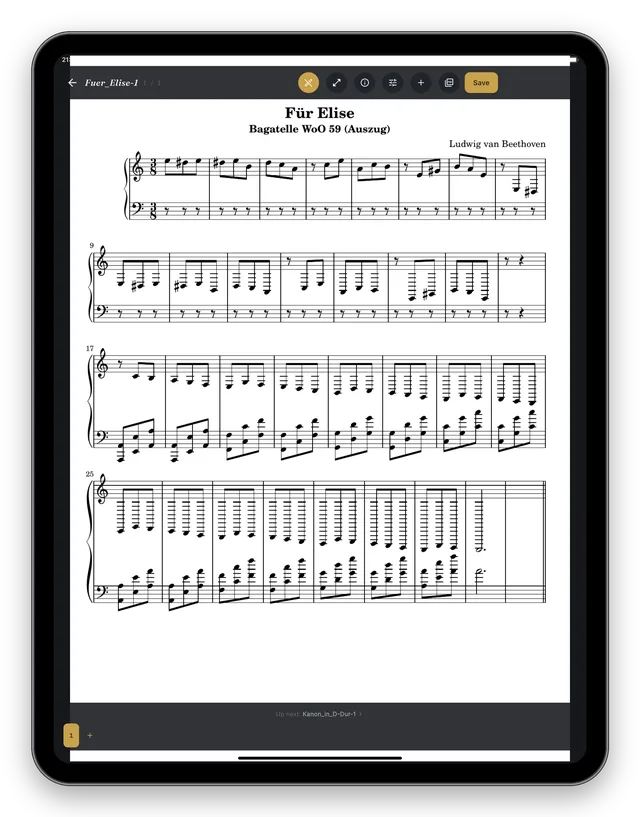
Read and turn pages like at the stand
The whole page at a glance, in portrait or landscape. Turn pages with a tap, a swipe or a Bluetooth pedal – even continuously through a whole folder or setlist.
- Pedals such as AirTurn, PageFlip or iRig BlueTurn
- Setlists for concerts and rehearsals
- Distraction-free full screen
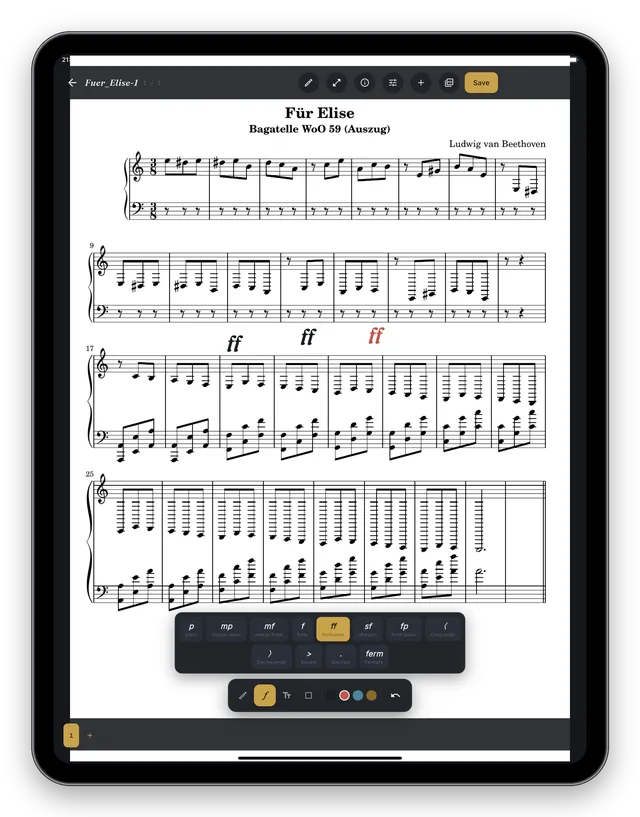
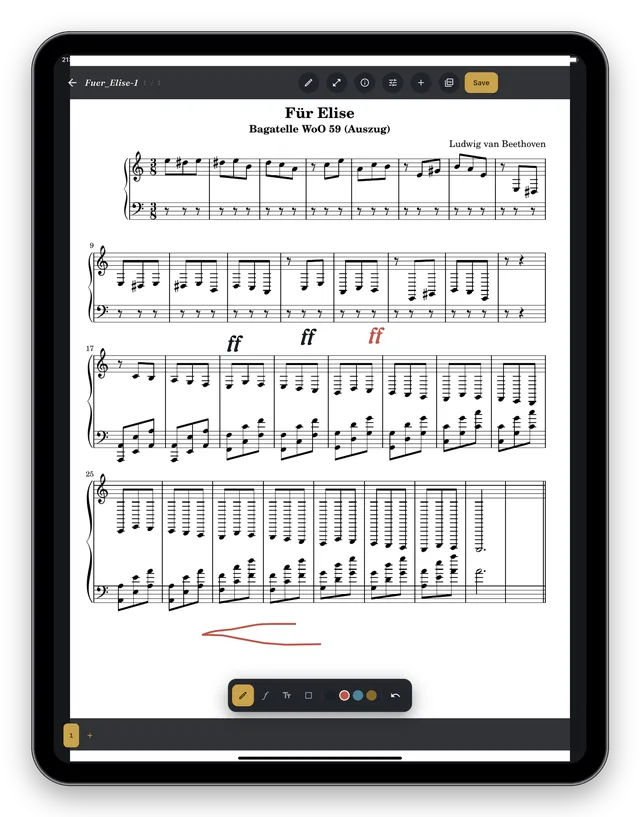
Annotate right on the page
Write into your scores with your finger or Apple Pencil: pen, highlighter, shapes and text in several colours. Add dynamics and articulation from a dedicated palette with a single tap.
- pp to ff, crescendo, accent, staccato, fermata
- Your original PDF stays untouched
- Share as a PDF with your annotations
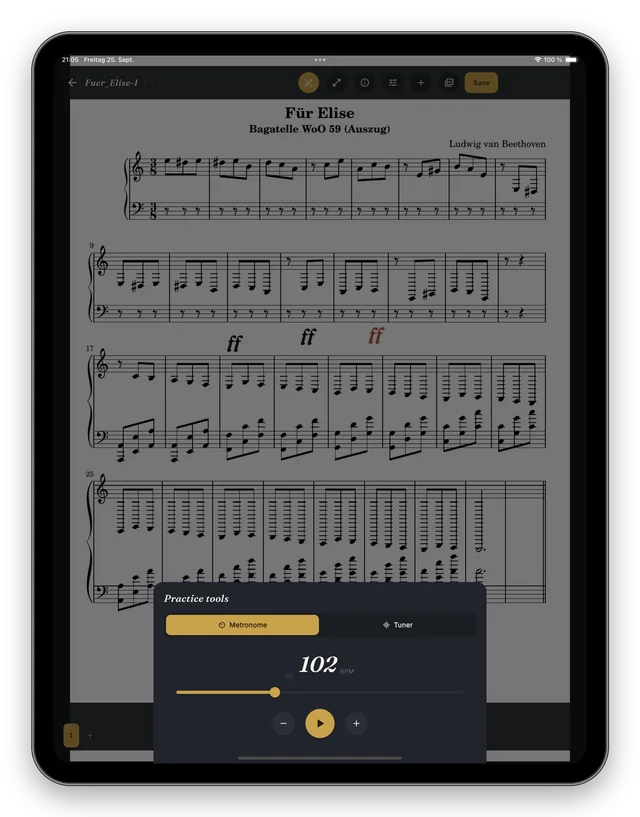
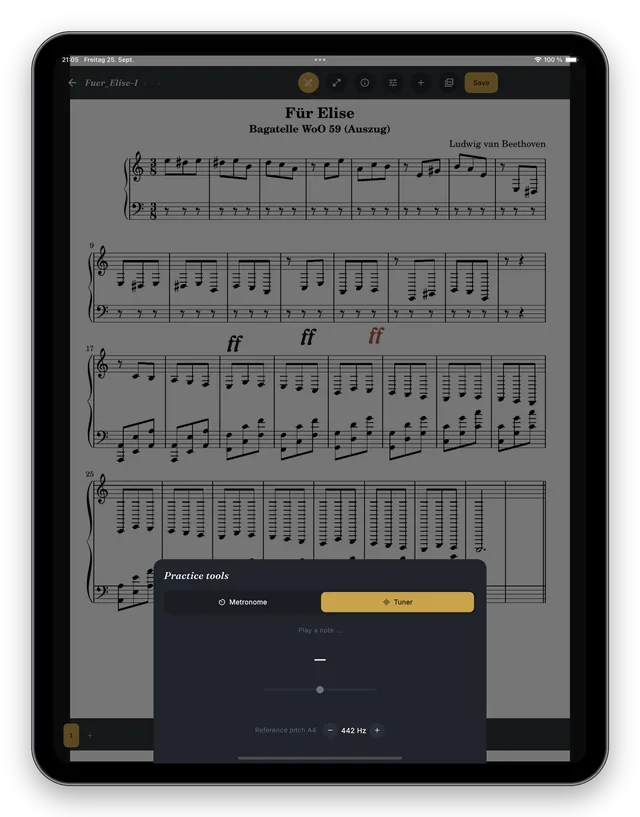
Metronome and tuner built in
Open both right inside the score view – your music stays visible. The metronome has a freely adjustable tempo; the tuner shows the note and the deviation in cents.
- Reference pitch adjustable from 400 to 480 Hz
- Microphone input is analysed on the device only
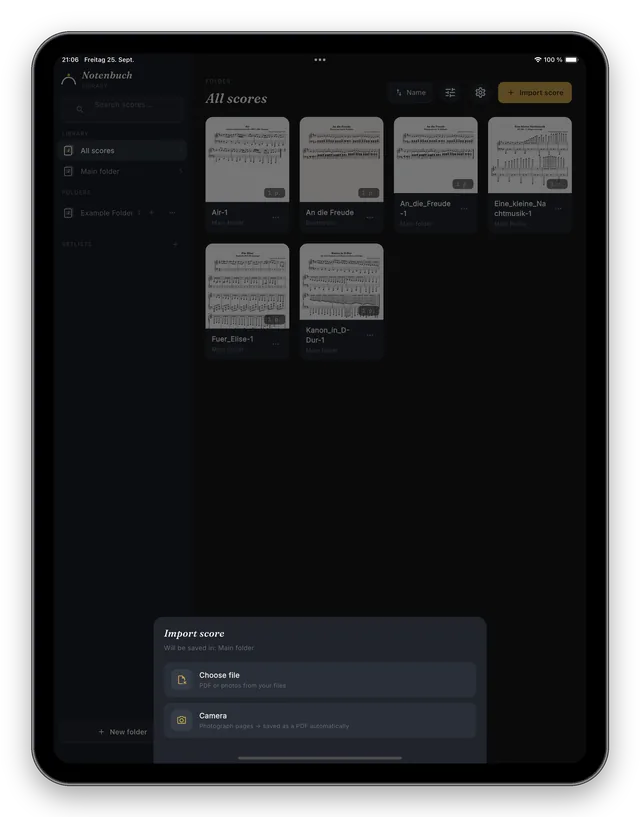
From paper to PDF
Photograph multi-page scores with the camera and Notenbuch combines the pages into a single PDF automatically. Import existing PDFs and photos from the Files app.
- Several pages, one PDF
- PDF, JPG and PNG
Light by day, dark on stage
Dark mode won’t dazzle you in the orchestra pit or on stage; light mode is easier on the eyes in daylight. Switch any time in the settings.
And also
Setlists
Combine pieces from your whole library and reorder them with a tap.
Score details
Composer, opus number, part and a link, e.g. to IMSLP or a recording.
PDF export
Share scores with your annotations as a PDF via Mail or AirDrop.
Six languages
English, German, French, Spanish, Italian and Dutch.
iPhone, iPad and Mac
iOS 15.6 or later, plus Macs with Apple silicon. Buy once, use everywhere.
Works offline
No internet needed. Your scores live on your device or in your iCloud Drive.
For everyone who plays from sheet music
In the orchestra pit, at choir rehearsal or during daily practice.
Orchestra & chamber music
Parts for the next programme as a setlist, bowings and markings right in the part, page turns by foot.
Choir
All your choral scores on one device instead of in a folder, with a tuner for the starting pitch.
Lessons & practice
Write your teacher’s comments straight into the music and raise the tempo step by step with the metronome.
Privacy
Your scores belong to you
Notenbuch works without an account, ads, tracking or a server of our own. Everything happens on your device. Read more in the privacy policy.
Frequently asked questions
How much does Notenbuch cost?
Notenbuch is a one-time purchase. There is no subscription and there are no in-app purchases. Buy it once and use it on all devices signed in with the same Apple ID.
Why does the App Store show a different name?
On the App Store you’ll find Notenbuch listed as “Digitales Notenblatt”. It is the same app.
Which devices does Notenbuch run on?
iPhone and iPad with iOS/iPadOS 15.6 or later, and Macs with Apple silicon (M1 or newer).
How do I get my scores into the app?
Import PDFs or photos from the Files app, photograph pages with the camera, or simply copy files into your score folder.
Which pedals are supported?
Any pedal that connects as a Bluetooth keyboard, for example AirTurn, PageFlip or iRig BlueTurn.
Find more answers in the support section.
Guides
Tips for digital sheet music
Sheet music on the iPad
Moving from paper binders to a tablet: device, accessories, organisation and tips for the stage.
Read more →IMSLP scores on your iPad
Get public-domain scores from the Petrucci Music Library onto your iPad, step by step.
Read more →An alternative to forScore
Notenbuch, forScore and Newzik compared honestly: which app suits whom?
Read more →Ready for your digital music stand?
Buy once, no subscription, on iPhone, iPad and Mac.
One-time purchase · no subscription · listed as “Digitales Notenblatt”